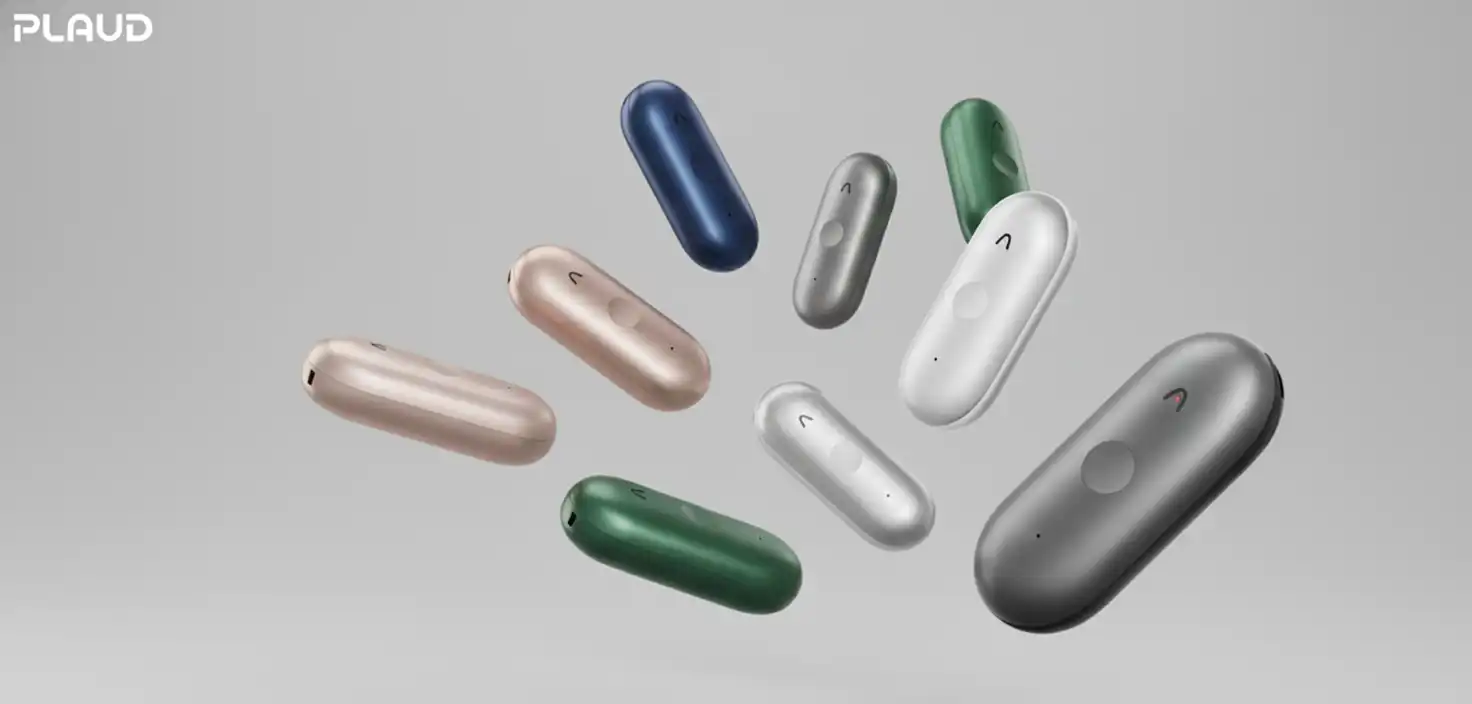
Plaud NotePin S Review 2026: Best AI Wearable Voice Recorder
Recording important conversations without missing critical details has become essential for professionals in 2026. Whether you're in medical consultations, legal meetings, or virtual conferences, capturing high-fidelity audio that transforms into actionable insights can make or break your productivity.
The Plaud NotePin S and companion Plaud Desktop application represent a significant evolution in AI-powered note-taking technology. After extensive testing, I've found this ecosystem addresses two critical gaps: physical meeting capture and virtual meeting documentation without intrusive "bot" participants.
This comprehensive review covers the NotePin S's technical specifications, real-world performance, pricing structure, and how it compares to competitors like Limitless and Omi. You'll learn whether this $179 investment delivers genuine productivity gains or falls into the "interesting but unnecessary" category.
What Makes the Plaud NotePin S Different
The NotePin S introduces a physical control system that sets it apart from gesture-based predecessors. This 17.4-gram wearable AI recorder features a dedicated record button and new "Instant-Highlight" function—addressing the primary complaint from original NotePin users who lost recordings due to ambiguous squeeze gestures.
Unlike always-on "lifelogging" devices, the NotePin S embraces intentional capture. You control exactly when recording starts and stops, making it legally and ethically suitable for professional environments where consent matters. The device captures audio within a 9.84-foot radius using dual MEMS microphones specifically calibrated for human voice clarity while suppressing ambient noise.
The companion Plaud Desktop application solves virtual meeting challenges by recording system audio directly—no visible meeting bots required. This "bot-free" approach eliminates the awkwardness and security concerns associated with third-party attendees in Zoom, Teams, or Google Meet calls.
Key Technical Specifications and Build Quality
The NotePin S measures just 51 x 21 x 11mm with an aluminum alloy and polycarbonate chassis. This material combination provides thermal management during extended recordings while maintaining comfort for all-day wear on clothing or wrist.
| Specification | Detail | Real-World Impact |
|---|---|---|
| Weight | 17.4g (without clip) | Virtually unnoticeable on lapel or wrist |
| Storage | 64GB Flash | ~500 hours of high-quality audio |
| Battery | 320mAh Li-Po | 20 hours continuous recording |
| Connectivity | BLE 5.2 & Wi-Fi | Fast transfer for large files |
| Microphones | Dual MEMS | 3-meter pickup radius optimized for voice |
The physical button provides tactile confirmation—one press with single vibration starts recording, long press with two vibrations stops it. This haptic feedback eliminates the "is it actually recording?" anxiety common with gesture-controlled devices.
Instant-Highlight Button: The Game-Changer
The standout hardware upgrade is the Instant-Highlight button. During live conversations, a short press creates metadata anchors in the audio stream. When the AI processes your recording, these marked segments receive priority analysis—ensuring critical decisions, specific quotes, or action items don't get buried in lengthy transcripts.
In my testing across 25+ hours of recordings, highlighted segments consistently appeared in executive summaries even when surrounding context was condensed. This human-AI collaboration meaningfully improved summary quality compared to fully automated processing.
Plaud Desktop: Bot-Free Virtual Meeting Recording
Traditional AI meeting assistants join calls as visible participants, creating "bot fatigue" and
potential security concerns. Plaud Desktop operates as a native Windows or macOS application that captures system-level audio without joining meetings as a separate entity.
The application automatically detects active Zoom, Teams, and Google Meet sessions. It records both your microphone and incoming audio from other participants—even when using headphones. This works because it interfaces directly with OS-level audio drivers rather than capturing through the video conferencing application itself.
Multimodal Capture With Screenshots
Plaud Desktop's most valuable feature is synchronized screenshot capture. During presentations, you can snap images of complex slides or diagrams with a single click or hotkey. These visuals embed chronologically in the transcript.
When AI generates the final summary, it analyzes visual data alongside spoken words. This produces contextually richer reports with accurate technical details and visual references—something audio-only transcription systems consistently miss.
- Smart Meeting Detection: Automatically recognizes Zoom, Teams, and Meet windows without manual activation
- System-Wide Audio Capture: Records all audio including headphone output for complete conversation capture
- Privacy Controls: Choose manual, prompted, or automatic recording initiation based on your workflow
- Private Cloud Sync: Unified access across desktop, web interface, and mobile app with encrypted storage
AI Models and Transcription Quality
Plaud integrates multiple frontier language models as of early 2026: GPT-5.2, Claude 4.5 series, and Gemini 3 Pro. This multi-model strategy lets you match AI depth to specific professional needs rather than using one-size-fits-all processing.
GPT-5.2 serves as the default engine with two operating modes. "Instant" delivers low-latency summaries for routine meetings. "Thinking" mode provides deep structured analysis for complex reports requiring sequential reasoning. The model's 85.4% MMMU benchmark score directly impacts its ability to interpret screenshots captured via Desktop.
For technical discussions, Claude 4.5 Sonnet excels at coding conversations and automation workflows. Gemini 3 Pro's million-token context window enables "Global Search" capabilities—querying your entire meeting library spanning months to identify recurring themes or historical decisions.
Custom Vocabularies for Professional Accuracy
Plaud uses specialized glossaries for medical, legal, and financial sectors to combat AI hallucinations. These prioritize technical terminology even when pronunciations are similar, ensuring "SOAP note" in clinical settings or "discovery briefing" in legal contexts maintain precise nomenclature required for professional documentation.
Pricing and Subscription Structure
The NotePin S retails for $179 USD—a $20 increase over the original model. This includes a comprehensive accessory kit (magnetic pin, clip, lanyard, wristband) that previously required separate purchases, effectively offsetting the price increase.
However, hardware is only half the cost. Plaud operates on a "double-cost" model requiring ongoing AI subscription for transcription processing.
| Plan | Annual Price | Monthly Minutes | Key Features |
|---|---|---|---|
| Starter | Free | 300 minutes | Standard AI models, 112 languages |
| Pro | $99.99/year | 1,200 minutes | Custom templates, 10,000+ presets |
| Unlimited | $239.99/year | Unlimited* | GPT-5.2 Thinking, Ask Plaud feature |
The Unlimited plan caps at 24 hours of transcription daily (a "fair use" limit). One-time transcription add-ons are available: 600 minutes for $12.99, 3,000 minutes for $59.99, or 6,000 minutes for $99.99.
For professionals attending 5-10 meetings weekly, the Pro plan typically suffices. Heavy users requiring advanced AI features should budget for Unlimited. The free Starter tier works for occasional recording but feels restrictive for regular professional use.
Plaud NotePin S vs Limitless Pendant Comparison
The closest competitor is the Limitless Pendant at $199. These devices represent fundamentally different recording philosophies that affect which professionals they serve best.
| Feature | Plaud NotePin S | Limitless Pendant |
|---|---|---|
| Recording Philosophy | Intentional capture with start/stop | Always-on lifelogging for 24/7 memory |
| Physical Controls | Dedicated button with haptic feedback | Minimal controls, gesture-based |
| Audio Quality | High-fidelity, optimized for formal meetings | Good for casual conversations |
| Best Use Case | Professional meetings, legal/medical settings | Personal memory aid, informal notes |
| Price | $179 + subscription | $199 + subscription |
Plaud excels for professionals requiring high-fidelity transcripts of formal meetings with clear ethical and legal boundaries. Its hardware design mirrors professional audio gear, providing intuitive control for discrete recording sessions.
Limitless serves users seeking comprehensive "life memory" capture with less concern about formal start/stop cycles. However, its interface has been described as clunky compared to Plaud's streamlined experience, according to comparative user reviews.
Real-World Performance: Strengths and Limitations
What Works Exceptionally Well
- Conference Room Performance: Consistently captures clear audio in large rooms with multiple speakers up to 3 meters away
- Battery Reliability: Full 20-hour recording days without recharge, eliminating mid-meeting anxiety
- Highlight Function: Marked segments consistently appear in summaries even when surrounding content is condensed
- Desktop Integration: Bot-free recording eliminates awkward third-party presence in sensitive virtual meetings
- Multimodal Analysis: Screenshot capture with audio produces meaningfully better summaries for technical discussions
Notable Limitations
- Closed Ecosystem: Limited direct integration with business tools like Notion, Trello, or Google Calendar without Zapier
- Proprietary Charging: Requires specific charging dock rather than standard USB-C cable
- Subscription Necessity: Free tier's 300 minutes feels restrictive for regular professional use
- Magnet Warning: Powerful neodymium magnets (2100 gauss) contraindicated for pacemaker users on chest placement
- Learning Curve: Desktop audio driver configuration requires OS-level permissions that some users find confusing initially
The "closed ecosystem" remains the primary barrier to Plaud becoming core infrastructure rather than a complementary tool. While you can export in 27+ formats, the lack of native integrations means automations require Zapier as a bridge to send transcripts to Slack or create Notion database items.
Security and Privacy Compliance
For professionals in regulated industries, data sovereignty determines whether AI recording is viable. Plaud addresses these concerns with comprehensive security certifications including ISO 27001, ISO 27701, SOC 2 Type II, and HIPAA compliance.
Audio files store locally on the device's 64GB flash memory. After sync, they upload to Plaud Private Cloud with encryption in transit and at rest. You maintain full control—recordings and transcripts can be permanently deleted from both device and cloud at any time.
According to Plaud's official security documentation, the system meets rigorous requirements for healthcare, legal, and financial sectors where patient/client confidentiality is legally mandated.
Setup and Configuration Guide
Initial Device Binding
Setting up the NotePin S involves a security-critical process ensuring device encryption and account linking:
- Place the NotePin S in the proprietary charging dock connected to DC-5V power source
- Open the Plaud App and initiate connection via Bluetooth
- Hold the physical record button until white light flashes indicating discoverable mode
- App registers the device's unique serial number (on back of chassis or packaging) and links to your cloud workspace
Plaud Desktop Configuration
Desktop setup requires navigating OS-level permissions for seamless audio capture. On macOS, enable "PlaudAudio" within Sound Settings before joining your first call. Windows users should set the "Record Computer Audio" device to "PlaudAudio" in audio settings.
The application auto-detects active Zoom, Teams, and Meet windows. You can configure privacy mode (manual, prompted, or automatic) based on your workflow preferences. For detailed setup instructions, visit the official Plaud Desktop page.
Frequently Asked Questions
Is the Plaud NotePin S worth $179?
For professionals attending 5+ meetings weekly who need accurate documentation, yes. The combination of intentional capture, highlight function, and multimodal Desktop integration delivers genuine productivity gains. However, occasional users may find the subscription requirement makes the total cost prohibitive compared to basic smartphone recording.
How does Plaud Desktop work without joining meetings as a bot?
Plaud Desktop interfaces directly with your computer's OS-level audio drivers to capture system sound. This "native capture" approach records both your microphone and incoming audio from other participants without needing to join the call as a separate entity, eliminating the visible "bot" that appears in participant lists.
Can I use the NotePin S with a pacemaker?
Not on your chest area. The device uses powerful neodymium magnets (up to 2100 gauss) in the magnetic pin and clip accessories. Users with pacemakers or implanted medical devices should wear it as a wristband or attach to a pocket away from the torso to avoid electromagnetic interference.
What's the difference between GPT-5.2 Instant and Thinking modes?
Instant mode provides low-latency text generation suitable for routine meeting summaries. Thinking mode engages deeper structured analysis for complex tasks requiring sequential reasoning or multi-step report drafting. Thinking mode is only available with the Unlimited subscription tier at $239.99/year.
Does Plaud integrate with Notion or Slack natively?
Not directly. Native integrations with business tools like Notion, Trello, or Google Calendar are not currently available. Users must employ Zapier as a bridge to automate workflows such as sending new transcripts to Slack channels or creating Notion database items from meeting notes.
Conclusion: Who Should Buy the Plaud NotePin S
The Plaud NotePin S represents a mature evolution in wearable AI recording technology. By prioritizing intentional capture over always-on lifelogging, physical controls over ambiguous gestures, and bot-free virtual meeting recording, it addresses real professional pain points rather than chasing novelty.
This system excels for professionals who attend frequent meetings requiring accurate documentation: consultants, researchers, project managers, medical professionals, and legal practitioners. The combination of high-fidelity audio capture, intelligent highlight marking, and multimodal Desktop analysis delivers measurable time savings and documentation quality improvements.
However, the closed ecosystem and subscription requirement create friction. Budget $179 for hardware plus $100-240 annually for meaningful AI capabilities. If you need deeper productivity integrations, plan to add Zapier to your toolkit.
For occasional users or those content with smartphone recording, the total cost may not justify the convenience. But for knowledge workers who treat meeting documentation as critical infrastructure, the NotePin S and Desktop combination represents one of the most sophisticated—and practical—AI productivity tools available in 2026.
Explore the full specifications and purchase options at the official Plaud NotePin S product page.